Build agents and connectors for Superhuman
The Plugins SDK lets you extend Superhuman with your own code. Build agents that provide assistance and do work, and connectors that bring another app's data and actions into Superhuman.
All you need to do is write a little TypeScript code to define your plugin. Superhuman hosts it, runs it, and provides the LLM, so there's no infrastructure to maintain. Build once, and the same code will work across Go and Docs.
Create an agent
An agent is an assistant in Superhuman Go built around a job. You give it instructions, choose the tools it can use, and add routines that tell it when to step in.
It can help while the user writes, run in the background on a schedule or when an email or Slack message arrives, and answer questions in chat.
Help while the user writes
Watch what the user is writing and attach a card that adds context or suggests a rewrite, right on the page.
Work in the background
Run on a schedule, or when an email or Slack message arrives. Send a Monday standup, or draft a reply before the user asks.
import * as sdk from "@superhuman/plugins-sdk";

export const agent = sdk.newAgent();

agent.setInstructions("Use the Holidays connector. Don't invent holidays.");

agent.setTools({
  connectors: [
    // Holidays: https://superhuman.com/store/connectors/holidays-22009
    { connectorId: 22009 },
  ],
});

agent.addDefaultRoutine({
  name: "Holiday conflicts",
  trigger: {
    kind: sdk.DefaultTriggerKind.WhileWriting,
    condition: "Proposes a date.",
  },
  instructions: "If it's a public holiday, comment noting the conflict.",
});
import * as sdk from "@superhuman/plugins-sdk";

export const agent = sdk.newAgent();

agent.setInstructions("Use the Todoist connector. Don't invent tasks.");

agent.setTools({
  connectors: [
    // Todoist: https://superhuman.com/store/connectors/todoist-48345
    { connectorId: 48345 },
  ],
});

agent.addDefaultRoutine({
  name: "Slack action items",
  trigger: {
    kind: sdk.DefaultTriggerKind.Event,
    type: sdk.EventTriggerType.Slack,
    eventType: sdk.SlackEventType.MessageKeyword,
    keywords: ["action item"],
  },
  instructions: `
    Create a Todoist task for the action item. Reply with the name and link.
    Links use the format https://app.todoist.com/app/task/<id>.
  `,
});
Connect your data
Superhuman Go supports the MCP standard, so any app that hosts a server can plug straight in. MCP servers are distributed as connectors, and once installed Go can access all of the tools they provide.
Creating a connector for your MCP server is simple, often requiring as little as a dozen lines of code. When it's ready, you can publish it to the store so anyone can discover and install it.
Build tools for any REST API
Not every app has an MCP server, but most have a REST API. Write your own tools hosted on our servers and available in Superhuman Go just like MCP tools.
Answer questions from your data
Sync your records into the knowledge layer and Superhuman Go can search them, cite them, and answer from them in the middle of a conversation.
Extend what a doc can do
Create custom formulas and sync tables that fit right into Superhuman Docs. Users work with your app's data without leaving their doc.
import * as sdk from "@superhuman/plugins-sdk";
export const connector = sdk.newConnector();

connector.addMCPServer({
  name: "Todoist",
  endpointUrl: "https://ai.todoist.net/mcp",
});

connector.setUserAuthentication({
  type: sdk.AuthenticationType.OAuth2,
  useDynamicClientRegistration: true,
  useProofKeyForCodeExchange: true,
});

connector.addNetworkDomain("todoist.net");
import * as sdk from "@superhuman/plugins-sdk";
export const connector = sdk.newConnector();

connector.addFormula({
  name: "AddTask",
  description: "Add a new task.",
  parameters: [
    sdk.makeParameter({
      type: sdk.ParameterType.String,
      name: "name",
      description: "The name of the task.",
    }),
  ],
  resultType: sdk.ValueType.String,
  isAction: true,
  execute: async function (args, context) {
    let [name] = args;
    let response = await context.fetcher.fetch({
      url: "https://api.todoist.com/api/v1/tasks",
      method: "POST",
      headers: { "Content-Type": "application/json" },
      body: JSON.stringify({ content: name }),
    });
    return "https://app.todoist.com/app/task/" + response.body.id;
  },
});

connector.setUserAuthentication({
  type: sdk.AuthenticationType.HeaderBearerToken,
  instructionsUrl: "https://todoist.com/app/settings/integrations",
});

connector.addNetworkDomain("todoist.com");
import * as sdk from "@superhuman/plugins-sdk";
export const connector = sdk.newConnector();

connector.addSyncTable({
  name: "Tasks",
  schema: sdk.makeObjectSchema({
    properties: {
      name: { type: sdk.ValueType.String, fromKey: "content" },
      description: { type: sdk.ValueType.String },
      url: { type: sdk.ValueType.String, codaType: sdk.ValueHintType.Url },
      id: { type: sdk.ValueType.String },
    },
    displayProperty: "name",
    // Sync table metadata.
    idProperty: "id",
    featuredProperties: ["description", "url"],
    // Indexing metadata.
    titleProperty: "name",
    linkProperty: "url",
    index: { properties: ["description"] },
  }),
  identityName: "Task",
  formula: {
    name: "SyncTasks",
    description: "Sync tasks",
    parameters: [],
    execute: async function (args, context) {
      let response = await context.fetcher.fetch({
        method: "GET",
        url: "https://api.todoist.com/api/v1/tasks",
      });
      let tasks = response.body.results;
      return {
        result: tasks.map(task => ({
          ...task,
          url: "https://app.todoist.com/app/task/" + task.id,
        })),
      };
    },
  },
});

connector.addNetworkDomain("todoist.com");

connector.setUserAuthentication({
  type: sdk.AuthenticationType.HeaderBearerToken,
  instructionsUrl: "https://todoist.com/app/settings/integrations",
});
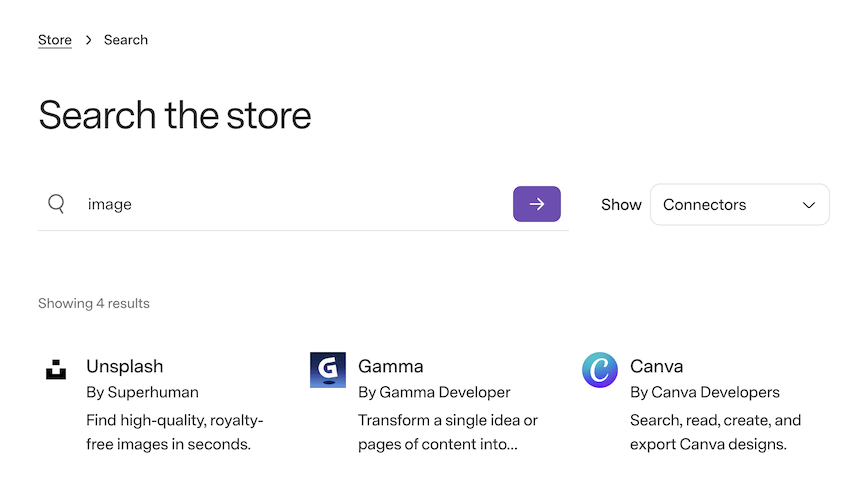
See what others have built.
Agents and connectors are listed in the Superhuman Store, and connectors also appear in the Superhuman Docs Gallery. Install a few to get a feel for what yours could do.
Stuck, or want to see it done first? There's a library of videos walking through the basics, and a community of developers happy to answer questions.